
An SA302 is your official tax calculation document from HMRC. It shows how much tax and National Insurance you owe (or are due as a refund) based on your Self Assessment tax return for a specific tax year.
SA302 documents are commonly requested by mortgage lenders, loan providers, and landlords as proof of your income and tax affairs.
What Information Is on an SA302?
Your SA302 tax calculation shows:
- All sources of income (employment, self-employment, benefits, etc.)
- Your personal allowance and any other allowances
- Taxable income after deductions
- Income tax and National Insurance contributions calculated
- Any tax already paid
- The final amount you owe or are due as a refund
How to Access Your SA302
You can view and download your SA302 documents from your HMRC Personal Tax Account. Follow these steps:
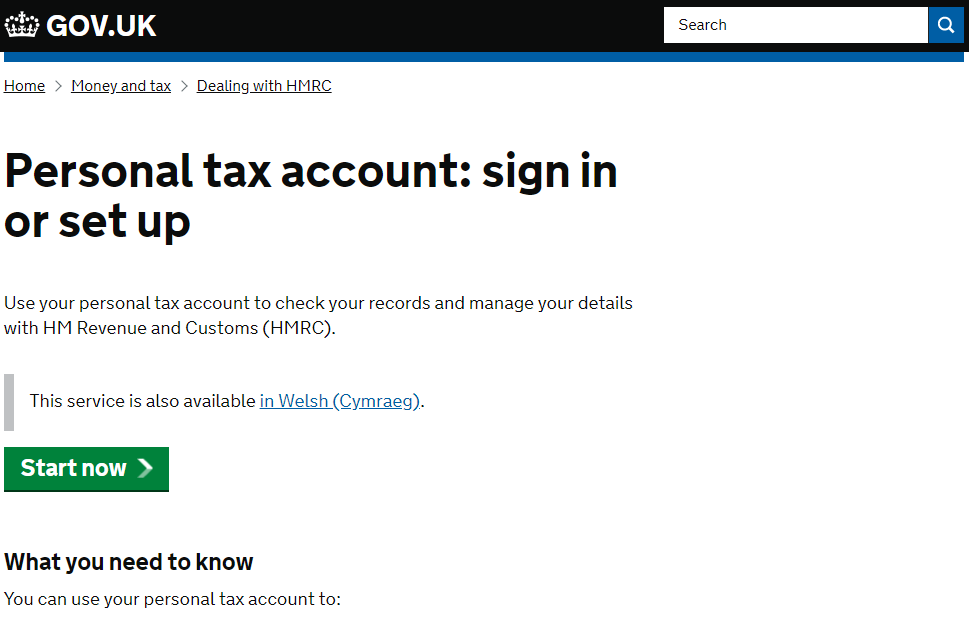
Step 1: Log In to Your Personal Tax Account
Go to https://www.tax.service.gov.uk and sign in using your Government Gateway user ID and password.
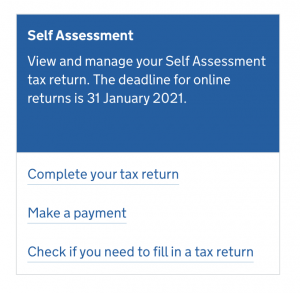
Step 2: Select Self Assessment
Once logged in, look for the Self Assessment section on your account home page and select it.
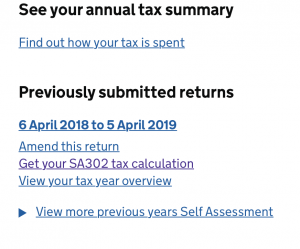
Step 3: Get Your SA302 Tax Calculation
Scroll down the Self Assessment page and look for the option “Get your SA302 tax calculation” or “View your tax year overview”.
Step 4: Select the Tax Year
Choose which tax year you need the SA302 for. You can access calculations for any tax year where you’ve submitted a Self Assessment return.
Step 5: View and Download
Your SA302 tax calculation will be displayed on screen. You can:
- Print the document directly
- Save as PDF using your browser’s print function (select “Save as PDF” as the destination)
- View on screen for reference
Understanding Your SA302
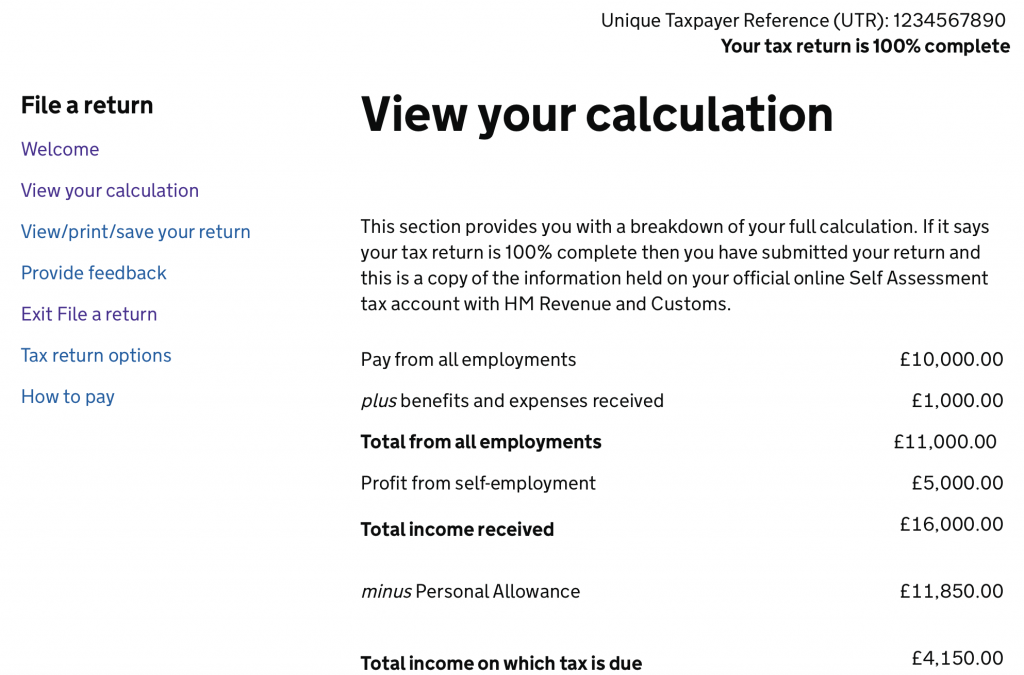
In the example above, the individual has three main income sources:
- Employment: £10,000
- State benefits: £1,000
- Self-employment profit: £5,000
- Total income: £16,000
After deducting the personal allowance (£11,850 in this example), the taxable income is £4,150. The SA302 then shows the income tax and National Insurance due on this amount.
Do You Need a Tax Year Overview Too?
Some mortgage lenders and financial institutions request both:
- SA302: Your tax calculation
- Tax Year Overview: A summary of your account showing payments made and liabilities
You can download your Tax Year Overview from the same area of your Personal Tax Account. Look for “View your tax year overview” or similar wording.
When Do You Need Your SA302?
You’ll commonly need your SA302 for:
- Mortgage applications – Lenders use it to verify your self-employed income
- Rental applications – Landlords may request it as proof of income
- Loan applications – Banks and finance companies verify your earnings
- Visa applications – Some visa categories require proof of UK income
- Benefits applications – Certain benefits require income verification
- Your own records – Good to keep for future reference
How Many Years Do Lenders Usually Need?
Most mortgage lenders request SA302 documents for the most recent 2-3 tax years. This helps them assess your income consistency.
Make sure you have submitted your tax returns for all the years they’re requesting before applying for a mortgage.
Troubleshooting
I Can’t See My SA302
If you can’t find your SA302, it could be because:
- You haven’t submitted your tax return yet – The SA302 is only generated after you submit your return
- HMRC is still processing your return – It can take a few days after submission for the SA302 to appear
- You’re logged into the wrong account – Make sure you’re using the correct Government Gateway ID
- Technical issues – Try logging out and back in, or use a different browser
The Figures Look Wrong
If your SA302 shows figures that don’t match what you expected:
- Check you’re viewing the correct tax year
- Review your submitted tax return to see what was declared
- If there’s an error, you may need to amend your tax return
- Contact HMRC if you believe there’s a system error
I Need SA302s for Years I Filed on Paper
If you filed paper tax returns in previous years, your SA302 calculations may not be available online. You’ll need to:
- Call HMRC’s Self Assessment helpline on 0300 200 3310
- Request copies of your SA302s for specific tax years
- Allow up to 15 working days for postal delivery
Important Notes
- Your SA302 is an official HMRC document – don’t alter or falsify it
- Keep copies of your SA302s for your records
- If you’re self-employed, lenders typically want to see consistent or growing income
- Make sure your tax returns are submitted on time to avoid delays in accessing SA302s
- Some lenders may request additional documentation beyond the SA302
Need Help?
If you’re having difficulty accessing your SA302 or understanding your tax calculation:
- Contact HMRC’s Self Assessment helpline on 0300 200 3310
- Contact MalgraBooks support if you manage your account
- Speak to your mortgage broker or lender about their specific requirements